
DIY clothing labels December 13, 2011 – Posted in: Sewing, Tutorials
For years I’ve been putting “tags” in the clothes I make. They’re nothing special, literally just loops of ribbon that tell the wearer (or the parent dressing them) which is the back side of the garment.
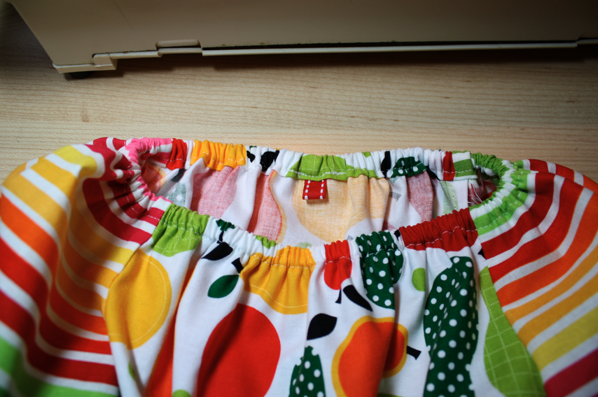

But I’ve wanted labels. I’ve researched, planned, and hunted everywhere for them, but nothing I found really pleased me. I don’t want to buy 500 labels at once. What if I change my mind? I also didn’t like the idea of not really knowing what they’d look like and feel like until I had them in my hand. So when I ran across this tutorial on Pinterest recently (find me here), I was stoked.

The idea is about all I took from the tutorial, though. I figured out a decently easy way to make these in Microsoft Word and went at it. I’m thrilled with the outcome!
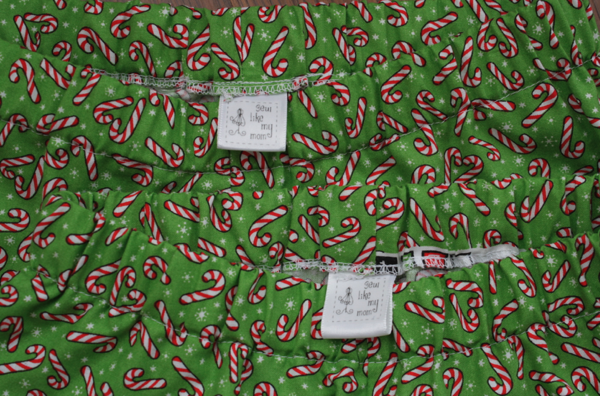
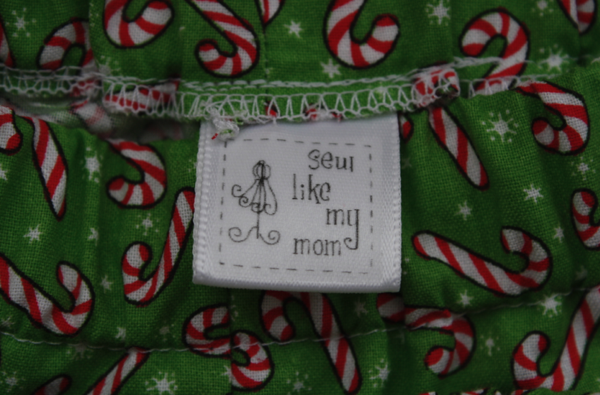
The best part about making my own labels is that they’re DIRT CHEAP. Like 4 cents each!
I started by getting my image ready. I took a thumbnail my sister created for me and tweaked it. Instead of pink on black, I made it black on white. I then saved it and opened the image in Microsoft Word by going to Insert -> Image -> From File.

Then right click on your image and choose Edit Picture. Once the edit box is open, right click again and choose Format Picture. Choose the Size tab and change the size of your image to fit the ribbon. My ribbon is 7/8″ so I made the image a .75″ square.
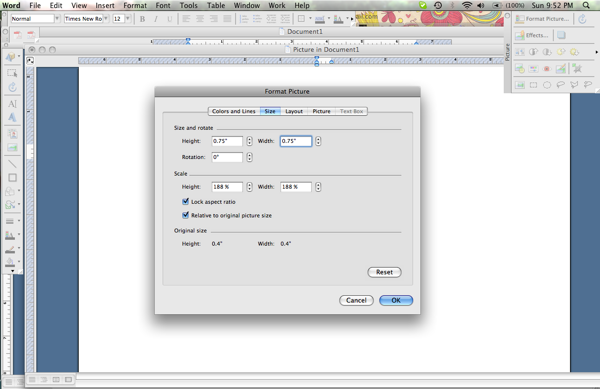
Once it’s the right size, click on that little icon to Reset Picture Boundary (this may look different on Word for a PC).
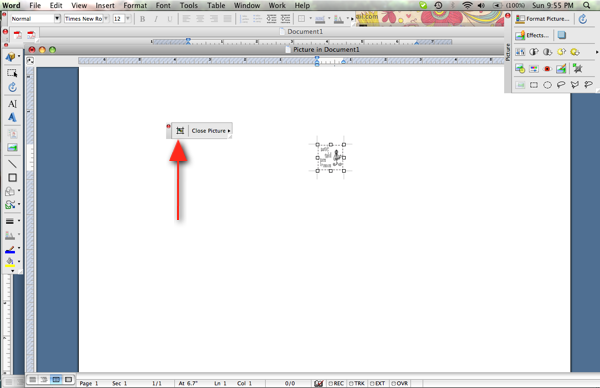
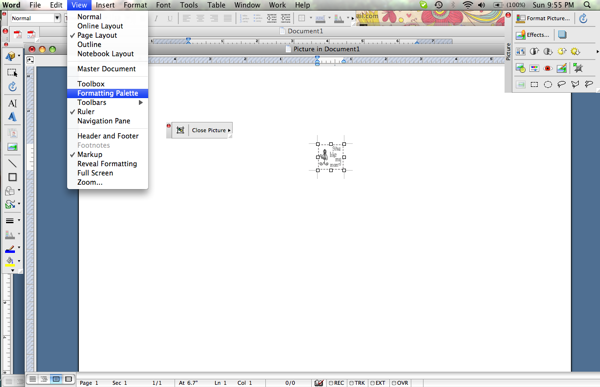
Then go to View -> Formatting Palette
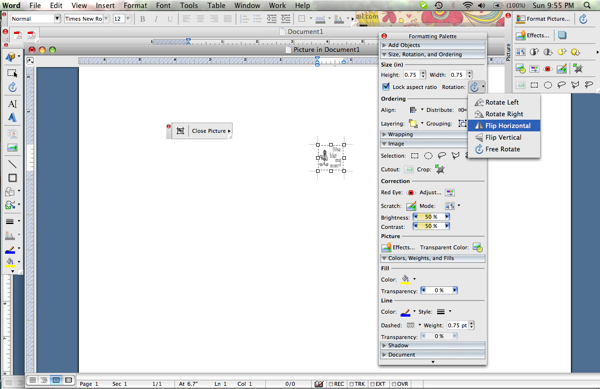
Choose the little arrow next to Free Rotate for a drop down menu. One of the options will be Flip Horizontal. Choose that one to flip your image.
Your image will now be reversed. Click on Close Picture and it will take you back to your document with a flipped image.
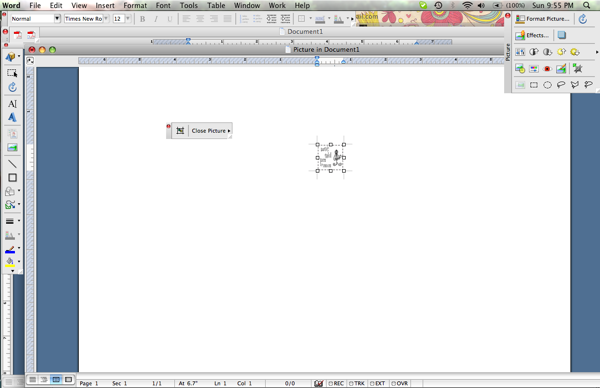
**I’m sorry some of these are blurry, I’m not sure why!
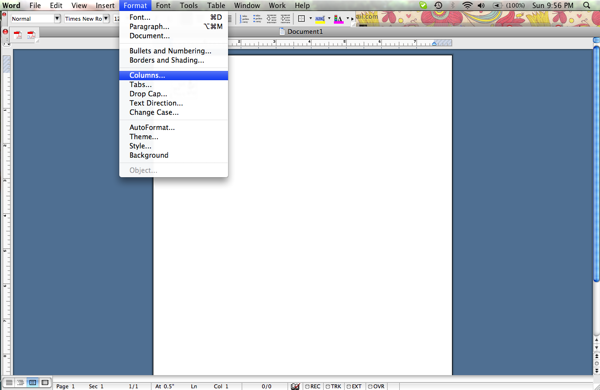
Then adjust your margins (I made mine all .5″) and go to Format -> Columns and make as many columns as your image will allow. I was able to make 7.
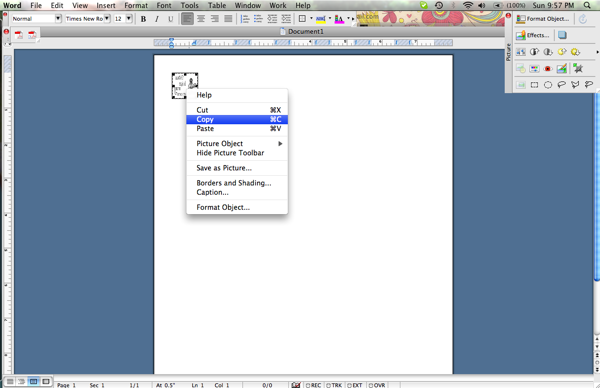
Then right click on your image and choose Copy.
Then paste away through the columns until you fill the page!
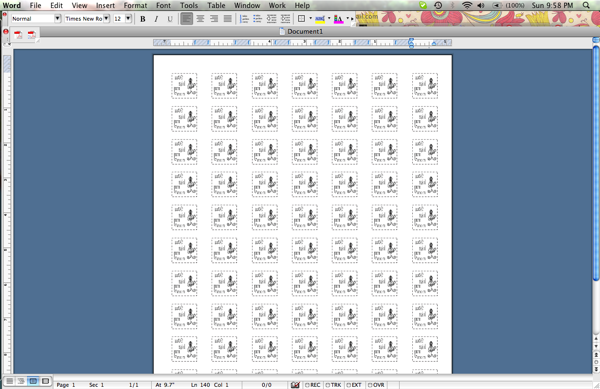
I printed on a regular piece of paper first to make sure I didn’t need to make any adjustments. Then I printed 1 sheet on my iron transfer paper and started cutting!
For my labels I used 1 spool of 7/8″ white satin ribbon and 1 sheet of iron-on transfer sheets. They yielded me 54 labels and I still have a few transfers left (because 1 sheet gave me 70)!
The ribbon was $1.97 at Walmart. The transfer paper I got at Michael’s. It’s normally $9.99 but I had a 40% coupon, making it $5.99, or $.60 per sheet. The ribbon is 18′ long, or 216 inches. I cut it in 4″ sections yielding me 54 labels total.
$1.97/54 = $.036
$.60/70 = $.008
.036 + .008 = $.044 cents each!! So to make 54 labels cost me $2.40 and took me about an hour!
To make the labels I took 1 piece of ribbon and 1 transfer.
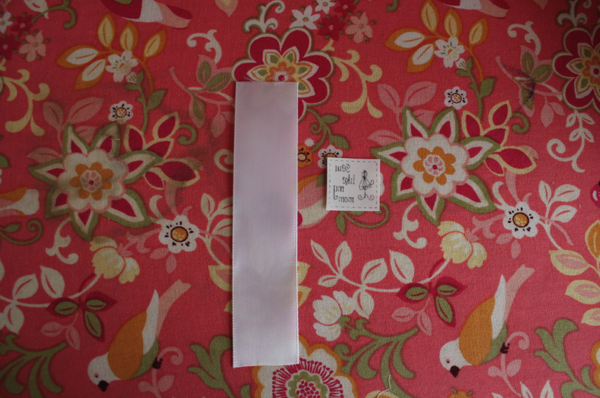
I put the image down on the ribbon, lining the bottom of it up at the 2″ mark so it would be on the top of the label (in the tutorial I found, her images are on the bottom for how I use them).
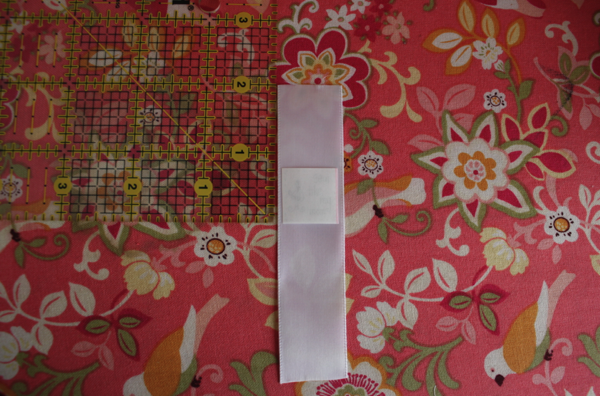
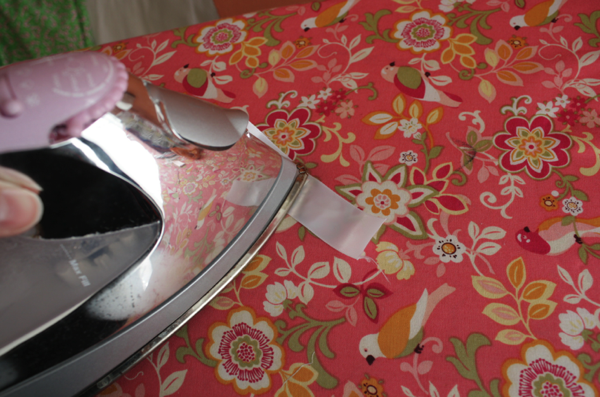
Then using only the tip of the iron and focusing only on the transfer, I gently pressed and counted to 5. There’s no need to leave them longer than that.
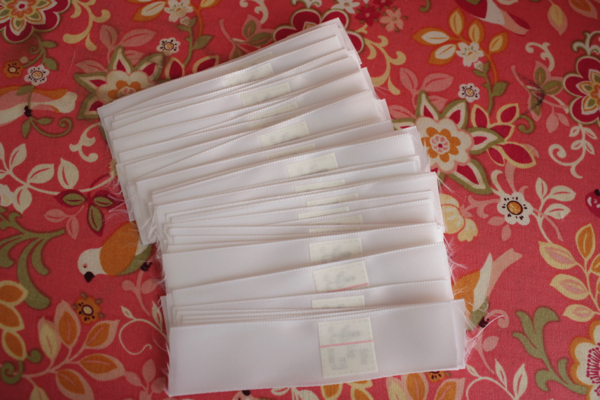
I left the paper on the transfers and I’ll peel them off as I use them.
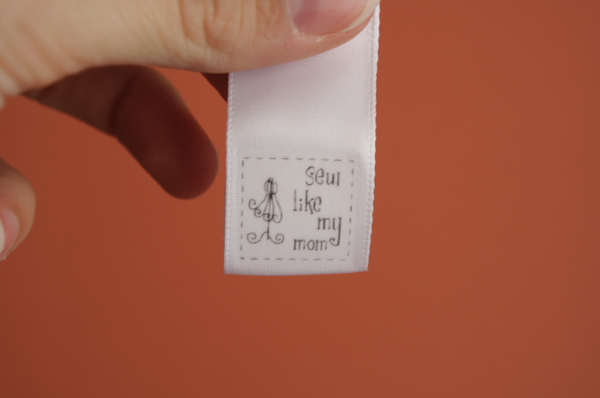
I’m so excited this worked! I haven’t tried washing them yet, so I don’t know how they’ll stand up in the wash. But even if the images eventually wear off, it’s a ribbon label which is what I was using anyway!
50 Comments
Michelle @ rockMYroll December 13, 2011 - 23:41
I have seen so many tutes for DIY labels are these are the easiest ones i have seen especially since i have all that stuff at home already and i change my brand – like constantly..the last lot i bought cost me 150!!!
I like 4c much better.
Ta
M
Louise, Raspberries In Winter December 14, 2011 - 02:46
This is a really great idea! I love the way you’ve done it, great tutorial.
Amy @ dwell in the season December 14, 2011 - 21:51
This is genius, I love it!
Terri Click December 15, 2011 - 20:28
This is so awesome! and I love your design. You have a nice blog with great information! Good Job!
Lisa K December 16, 2011 - 01:38
Thanks so much for this! I sew most of my children’s clothes and I’ve been dying for ‘real’ labels ( I use ribbon loops too)! You can’t beat the price of these.
I can’t wait to get started 🙂
Katie December 16, 2011 - 15:47
I made my own using the same technique, but they only held up to about 2-3 washes 🙁
If yours hold up better, let me know! I am really disappointed.
katie@iamnotageek.com
NMJewel December 17, 2011 - 23:14
Ingenious! I’ll try it. Hope they don’t wash out.
Gweny December 18, 2011 - 15:41
Yes anything printed out by inkjet printers will wash out. Have you ever thought of having a stamp made and then using Staz On ink to stamp your ribbon.. It lasts forever.
Chrissy December 19, 2011 - 20:39
This is a great tutorial! Thank you for sharing.
One awesome benefit to having tags that I’ve found is that if you go to sell the clothes to a resale shop, they are more likely to take them and you’ll get a better price too because they are “boutique” type clothes!
Mary December 20, 2011 - 10:27
I just found your blog have been pouring over it for an hour or two – it is great! Your tutorials are amazing; so clear and the pictures so helpful. I can’t wait to get sewing!
Do you have any tutorials or patterns for nursing shirts? We are expecting our second child in early February and I would love to make a few. They are so expensive!
Thanks for sharing so many great ideas and projects!
Melissa December 26, 2011 - 22:42 – In reply to: Gweny
Boo. But thanks for the idea! I found a seller on etsy I’m going to contact about creating a stamp for me from my image. So thank you!
Avienne January 13, 2012 - 20:52
Thank you so much for this great tutorial! I finally have labels for my baby booties!
I also posted a link to your blog on my facebook page – hope that’s ok!
http://www.facebook.com/charliesgiraffe
BIG THANKS!
Nikell January 14, 2012 - 14:48
I’ve been looking around for a good tutorial on fabric labels. This looks like the best option for me. Thank you for sharing this! I can’t wait to try it out.
patti February 16, 2012 - 20:24
This label tut is awesome…Thanks so much!!!
patti
Hollister Lee February 28, 2012 - 20:04
I finally have labels for my baby booties!
I also posted a link to your blog on my facebook page – hope that’s ok!
Freya March 22, 2012 - 14:51
So glad my tutorial inspired you. Your labels look great!
Brian May 24, 2012 - 16:59
Wow! Thanks for sharing this. My custom label problem is solved!
travesaou June 27, 2012 - 15:24
THIS is ABSOLUTELY and TOTALLY freaking amazing!!! I know it’s just labels, but this just makes my life as a designer who has to worry about making products and marketing products and seeing to customers and organising staff and EVERYTHING ELSE, THAT MUCH EASIER! while still fulfilling that creative need in me. It’s convenient to get it made in mass amounts but doing it like this brings the love and detail back into the work. Thank you, thank you, THANK YOU!!!
Brandi August 18, 2012 - 12:02
This is the Best tutorial I’ve found on DIY labels. Can’t wait to make mine. Thank you for taking the time to make the tutorial. Thanks Again Happy Sewing!!
Sharon September 04, 2012 - 15:15
So that you are not wasting labels, why don’t you keep them on roll and slowly just keep pulling out ribbon and keep on ironing.
Lia October 31, 2012 - 06:26
Brilliant! Thanks for sharing:)
Holli December 10, 2012 - 23:54
This is such a great tutorial – thank you!
paula December 19, 2012 - 18:15
This is crazy awesome. I’ve been searching for something easy and inexpensive for my labels, this is perfect!
Lys March 02, 2013 - 16:07
Great tutorial!
How do you keep the cut ends of the ribbon from fraying over time?
heather April 23, 2013 - 11:47
Thank you! I have been wondering if there was a nice, but cost efficient way to make tags for my little creations. Thank you so much. 😀
Susan May 10, 2013 - 08:05
Great idea and information!! I am going to give it a try. Thanks so much!!
Laurie May 19, 2013 - 11:53
All I can say is : GENIUS!
charly May 26, 2013 - 22:29
this is such a great turtorial, thank you for posting but i was wondering if you had any updates on how long they lasted with washing I love the idea of using ribbon 🙂
Kelley June 05, 2013 - 20:23
I guess if the ink washes out of the design the solution would be to hand stitch over the ink transfer so that each tag looks the same and you don’t lose the words on your tag.
janjan June 08, 2013 - 03:47
Any update on whether the ink came off after washing a few times? Thanks for sharing the instructions, I can’t wait to try it…yours look great!
Melissa June 10, 2013 - 15:36 – In reply to: janjan
It came off on the first wash for me.
Sandy August 20, 2013 - 10:45
Found you on Pinterest. I plan to make some of these for items I make that are not going to go through the wash – that way I don’t have to worry about it fading.
Also, just FYI for the person who asked, I use a lighter and lightly run the ends of ribbon through the flame to stop it from fraying 🙂
Jennifer August 25, 2013 - 12:51
I wanted to try this as a way to label my handmade hats, but after reading through the comments I decided that a stamp and fabric ink was the way to go. Thank you for this helpful post!
Littlegemm October 11, 2013 - 19:53
I’ve been trawling the internet trying to find a tute for just this sort of thing. so pleased to have come across this. Thank you. I expect the blankets I make to be washed and tumble dried fairly often. I don’t suppose you know how long your labels lasted before they finally expired? I would love to have a stamp made but as my venture is still in it’s infancy I just don’t have the funds. I’d be so grateful if you could let me know.
Lovely blog BTW, I’ll be pinning it to my Blogs Worth Reading board.
Love and thanks from Littlegemm at http://www.asabug.com 🙂
Yasmin October 19, 2013 - 00:59
This is awesome!!!!
Thank you.
Susie December 01, 2013 - 14:20
I use this process to make my own labels… They do wash out fairly quick which is a bummer, but I have continued using them for my headbands and purses (that wouldn’t be machine washed).
Jan December 16, 2013 - 11:07
instead of going thru all that bit to create a mirror image, get some transparency film paper….reverse it, print it onto your iron-on transfer paper…then soak printed page in vinegar for a couple of hours to set the ink…let dry and you are good to go.
love your exact step-by-step.
Jan
Iva Childers March 01, 2014 - 00:19
So special, they are lovely, and it ws so sweet of you to share! Tonight I found some old dresses and wondered now I wanted a tag on my next project, then I read this, amazing how God works.
Karen March 07, 2014 - 17:42
OMG I can hardly wait to try this as I need small size labels and this is just the thing I think will work. Thanks for sharing!
jess May 19, 2014 - 13:46
Laser paper/printer does not work.. attempt #2 shortly once we get the new printer up and running..
Sue May 20, 2014 - 13:13
Thanks so much for this tutorial! I didn’t have a picture object (i.e., jpeg format) to insert into word so I used the Microsoft Snipping Tool accessory to “snip” the text I had typed in a Word document. I then saved the snip as a jpeg file and was able to flip the image and proceed with the rest of the steps as shown.
Flo Munro May 23, 2014 - 22:09
i always wanted to put my own label on my clothes that i create and now i can, thank you heaps, im tired of paying out heaps. now i can do it myself.
Flo Munro May 23, 2014 - 22:10
love it, cool thanks for this.
The City Dweller November 01, 2014 - 13:41
Great tutorial! Many thanks and be well!
melissa January 13, 2015 - 14:01
Anyone tried a laser jet printer?
MARIA March 30, 2015 - 11:14
AWESOME! VERY HELPFUL, THANKS A LOT!
tanya January 21, 2016 - 21:56
Inexpensive is my style, now I’ve got to get the supply and try it out! Thank you so much for posting this! God bless;)
Rebecca February 01, 2016 - 15:38
Since this was posted, have you had any issues with laundering clothing with these labels? What were the results? Was the printer ink jet or laser?
Melissa February 01, 2016 - 16:25 – In reply to: Rebecca
It washes off. 🙁
Badd May 19, 2016 - 00:56
Use pigmented ink.
“Pigmented ink particles tend to settle into the tiny fibers that make up the paper. As the ink drys, the pigment particles get stuck in the fibers. Thus, the pigmented inks are more water resistent than the dye-based inks. Only about 5 to 10 percent of the ink will re-flow if the paper is hit by water.”